

Health physics calculation suite
 QuantiRay™
Review and Document Radiation Calculations
Choose a radiation protection calculation or unit conversion and enter values with their units. Review the result alongside the equation, variable definitions, and cited reference to see how it was obtained.
- Available Now
- No Account or Installation
- First load about 5.9 MB
- Version 23.1.0
QuantiRay at a Glance
- What It Does
- A result with its inputs, units, equation, and reference. Supported tools let you copy or export the calculation record.
- Who It Is For
- For teaching, checking units, reviewing calculation methods, and documenting educational examples.
- Availability
- Available Now Runs in a current browser. Nothing to install.
- How to Launch
- Open the full-page program or run it on this page.
- 177Calculators and converters
- 12Analytical disciplines
- 1Equation and source beside every result
What You Can Do
- Browse calculators and unit conversions by topic.
- Read variable definitions, units, and the referenced equation.
- Copy or export a calculation record where the app supports it.
QuantiRay brings radiation protection calculations, unit conversions, and technical references into one workspace. The result view gives you the information needed to check which quantity was calculated and whether the stated assumptions fit your example. Use a fictional distance calculation to see how the app presents the result and its source.
Where It Fits
For teaching, checking units, reviewing calculation methods, and documenting educational examples.
Try This Example
What assumptions and units produced this result?
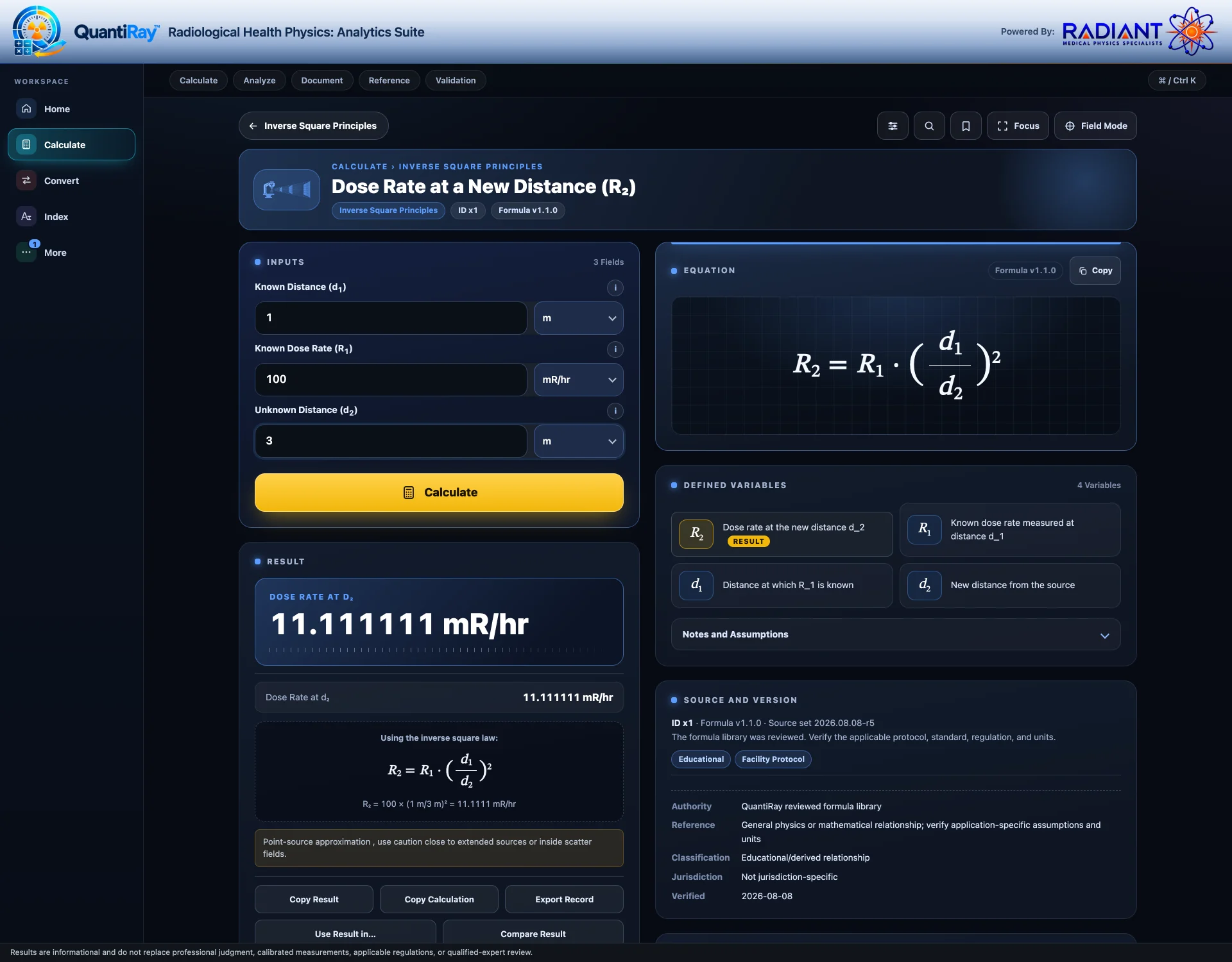
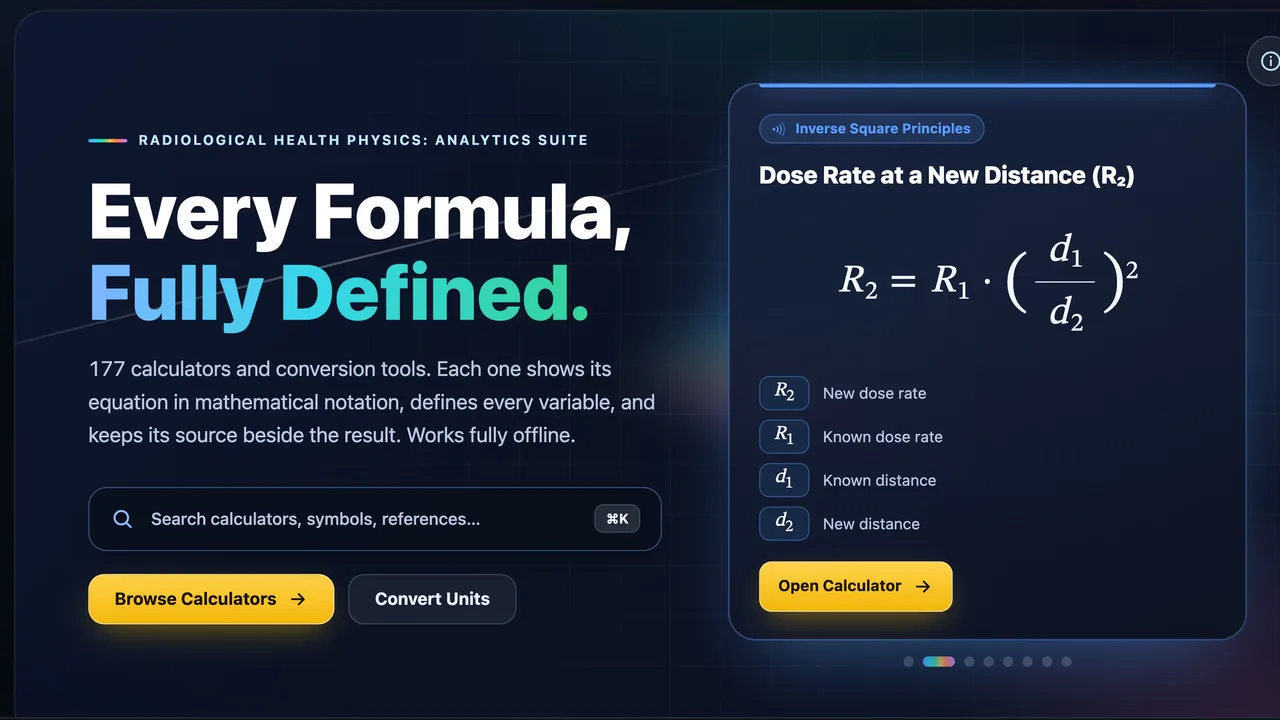
- Open Calculate and find “Dose Rate at a New Distance.”
- Use a fictional starting value of 100 mR/h at 1 m. Calculate the value at 3 m.
- Read the displayed result, then check the equation and assumptions against the reference.
What You Should See
A result with its inputs, units, equation, and reference. Supported tools let you copy or export the calculation record.
Try QuantiRay
Run the program on this page to follow the example, or open the full-page workspace for more room.
Your data stays in this browser. Favorites, settings, and any calculation records you save are kept in your browser’s local storage and are not sent to Radiant Medical Physics Specialists. Do not enter patient information, health information, or government identifiers. What Is Stored.
Approximate first load 5.9 megabytes. Use the displayed reference and assumptions to judge whether a calculation fits the situation. Save or export only information appropriate for the browser you are using.
Screenshots and Instructions
Select a screenshot to view it at full size.
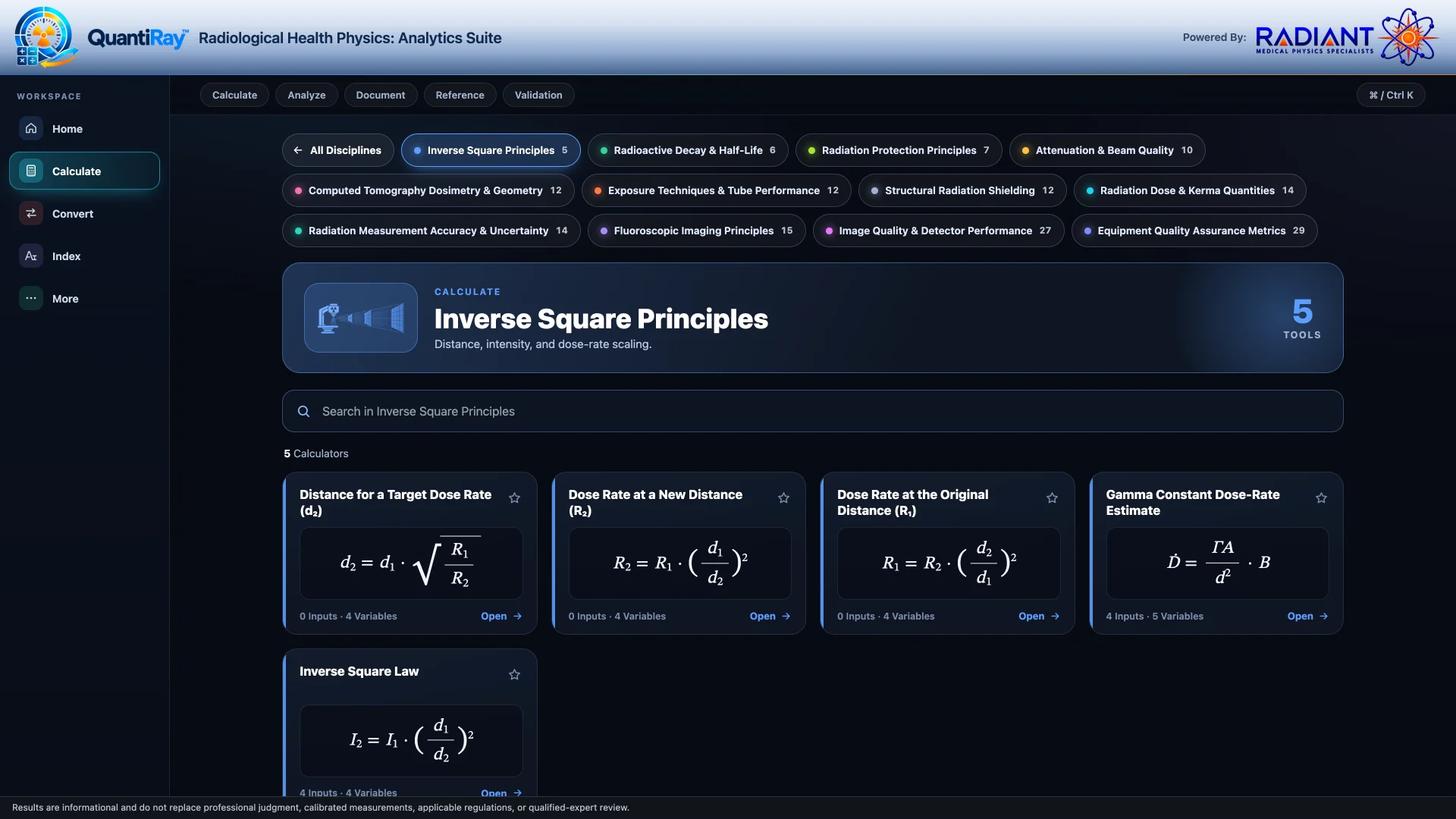
Read the Full Walkthrough
- Open Calculate. Use the Calculate button in the left rail.
- Pick a Tool. Search the tool navigator, or choose a discipline. Try “Dose Rate at a New Distance.”
- Enter Your Values. Known distance 1 m, known dose rate 100 mR/hr, new distance 3 m. Pick units from each field.
- Read the Result. The answer appears with its formula, variable definitions, and any cautions.
- Keep It. Copy the result, or export a record for your files.
- Look It Up. Open Reference or Index for constants, limits, and symbols.
Inside QuantiRay
What Is Inside
- 01
Twelve Disciplines
Inverse square, radioactive decay, radiation protection, attenuation and beam quality, CT dosimetry, tube performance, structural shielding, dose and kerma, measurement uncertainty, fluoroscopy, image quality, and equipment QA.
- 02
Equations in Notation
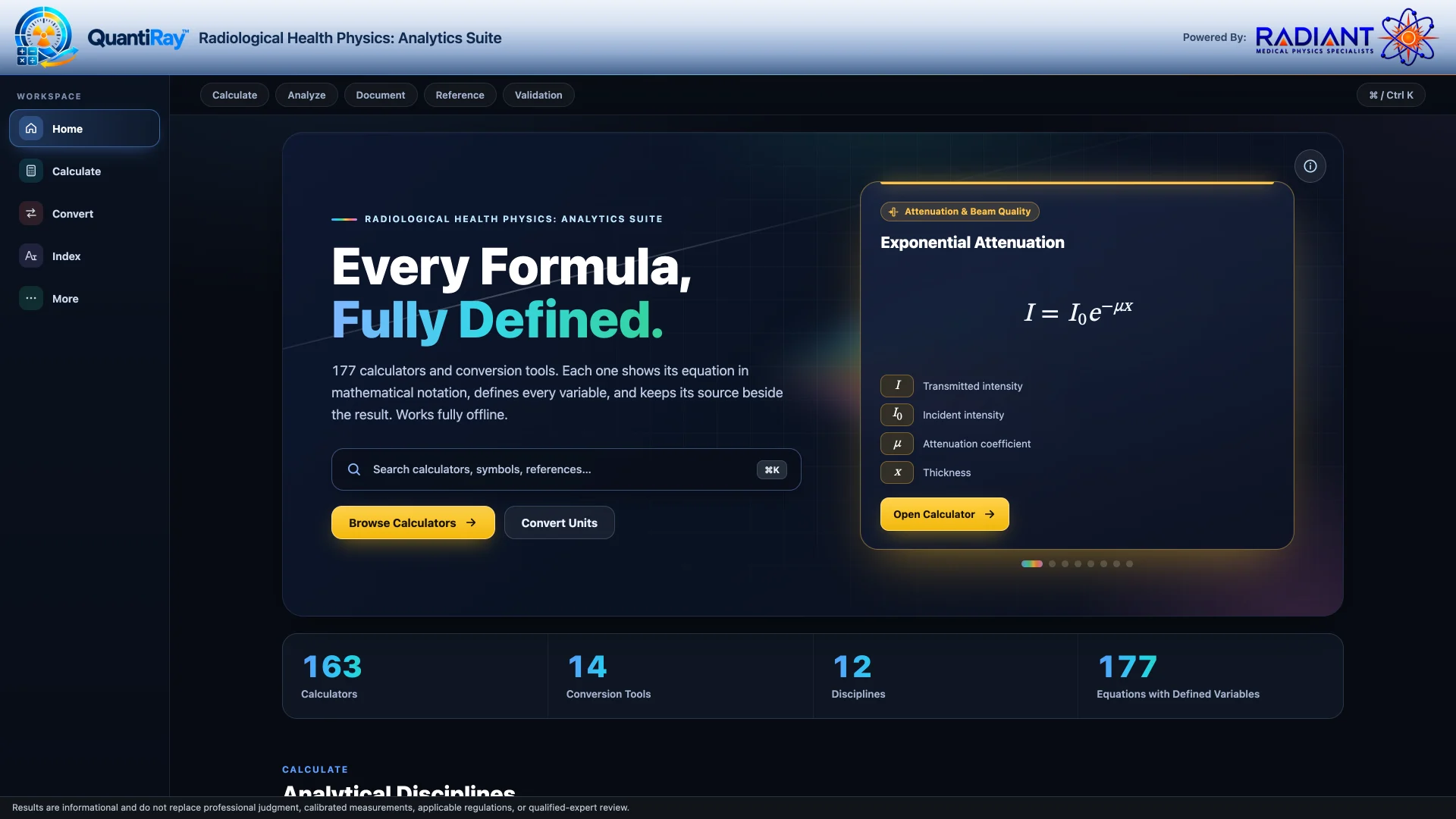
Each calculator shows its equation in mathematical notation and defines every variable.
- 03
Records
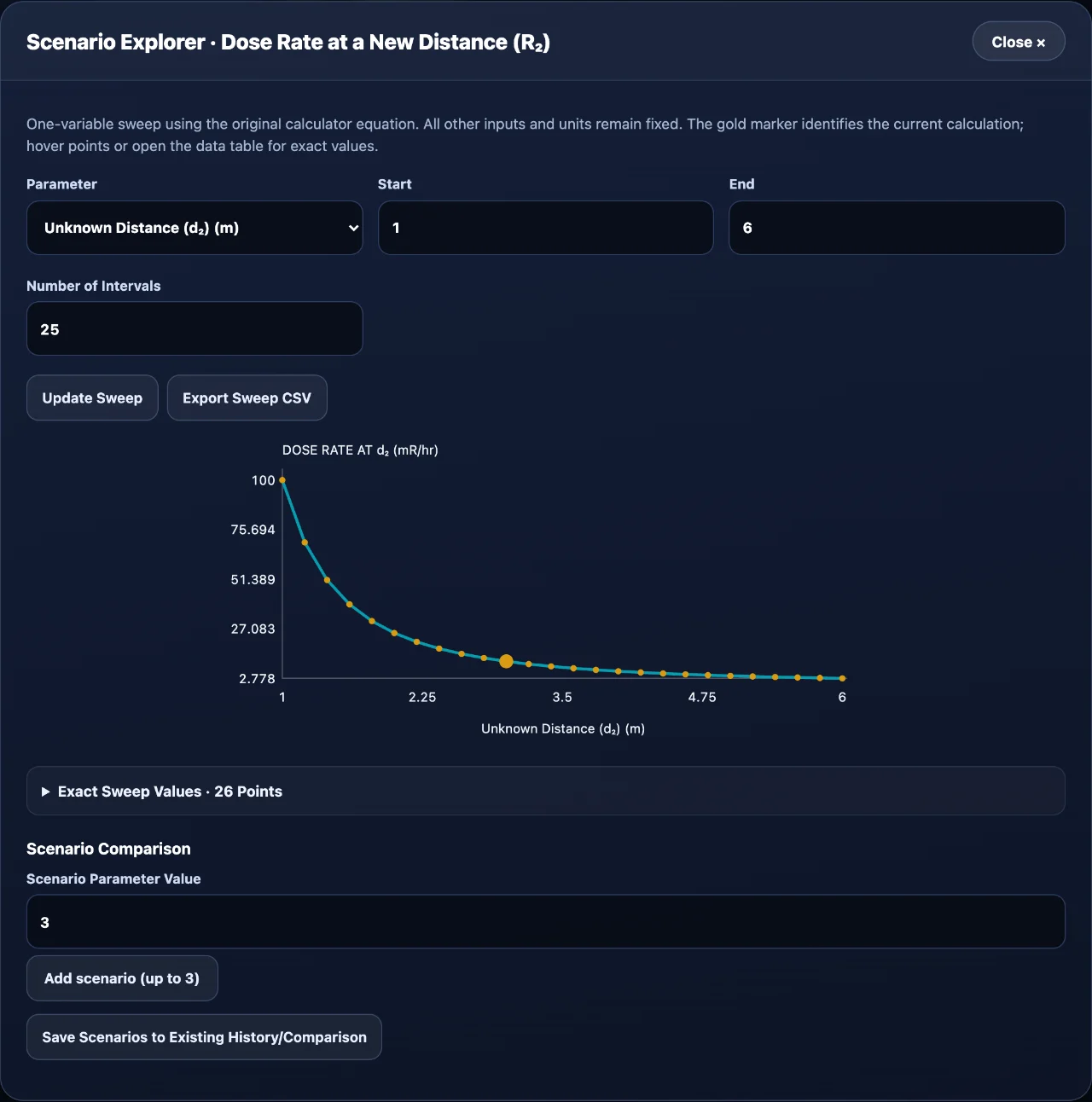
Copy a result, export a calculation record, or sweep one input in the Scenario Explorer.
Know the Limits
Results are informational. They do not replace professional judgment, calibrated measurements, applicable regulations, or qualified-expert review.
How Do You Read a Physics Report or Calculation? · Ask about QuantiRay
 ShieldScope
 CoComply
 EvaluRad
 ImageWare