
Scatter field simulator
 ShieldScope™
Compare Scatter in a Modeled Imaging Room
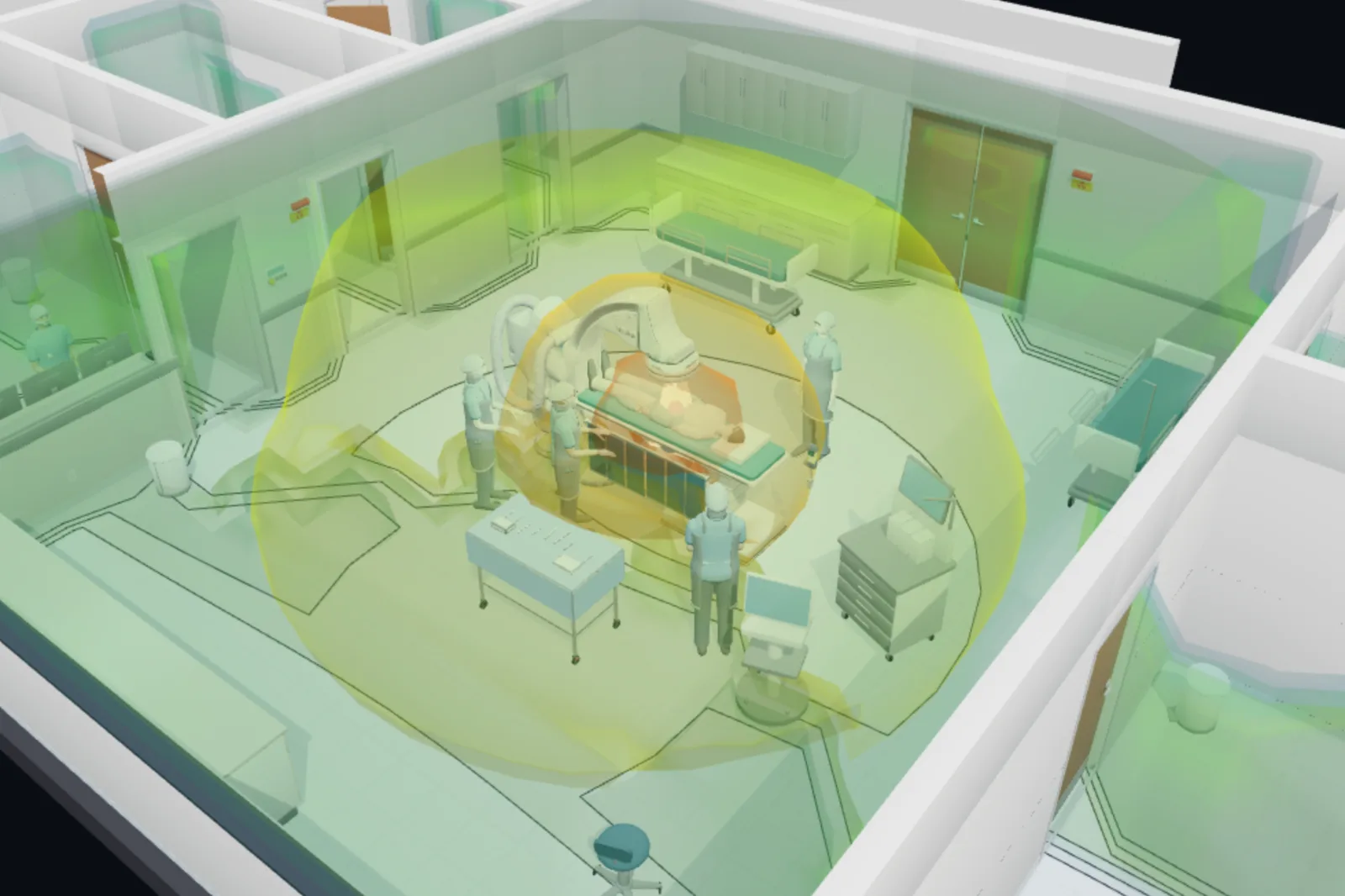
Arrange imaging equipment, staff, and barriers in a three-dimensional room. Move a person or barrier and compare the simulated scatter field using the dose-rate map and a probe at a selected location.
- Available Now
- No Account or Installation
- First load about 89.8 MB
- Needs WebGL
- Version v28
ShieldScope at a Glance
- What It Does
- A modeled dose-rate map and a probe reading you can use to compare locations or shielding arrangements.
- Who It Is For
- For classroom demonstrations, discussions about room geometry, and comparisons of fictional setups.
- Availability
- Available Now Runs in a current browser with WebGL. Nothing to install.
- How to Launch
- Open the full-page program or run it on this page.
- 29x-ray systems in the catalog
- 6Equipment families
- 3DRoom, dose map, and probe
What You Can Do
- Explore a three-dimensional room with a modeled imaging system.
- Compare relative readings at a fixed point as the setup changes.
- View the field from the floor plan or from a person’s position.
ShieldScope helps learners and imaging teams connect a room layout with the relative pattern of scattered radiation. Begin with a modeled imaging system and a fixed observation point. Change one part of the setup at a time so you can explain the difference you see in the map and probe reading.
Where It Fits
For classroom demonstrations, discussions about room geometry, and comparisons of fictional setups.
Try This Example
How does changing the room setup affect modeled readings at a fixed point?
- Choose a fictional room setup and identify one observation point.
- Compare the same point before and after adding a screen. Keep the source settings and positions fixed.
- Use the map and probe to explain what changed.
What You Should See
A modeled dose-rate map and a probe reading you can use to compare locations or shielding arrangements.
Try ShieldScope
Run the program on this page to follow the example, or open the full-page workspace for more room.
Your data stays in this browser. ShieldScope does not send what you set up to Radiant Medical Physics Specialists. Do not enter patient information, health information, or government identifiers. What Is Stored.
Approximate first load 89.8 megabytes. The room and readings are illustrative. Evaluating a real facility requires site-specific measurements, assumptions, and qualified review. The three-dimensional view requires a browser that supports interactive three-dimensional graphics.
Screenshots and Instructions
Select a screenshot to view it at full size.
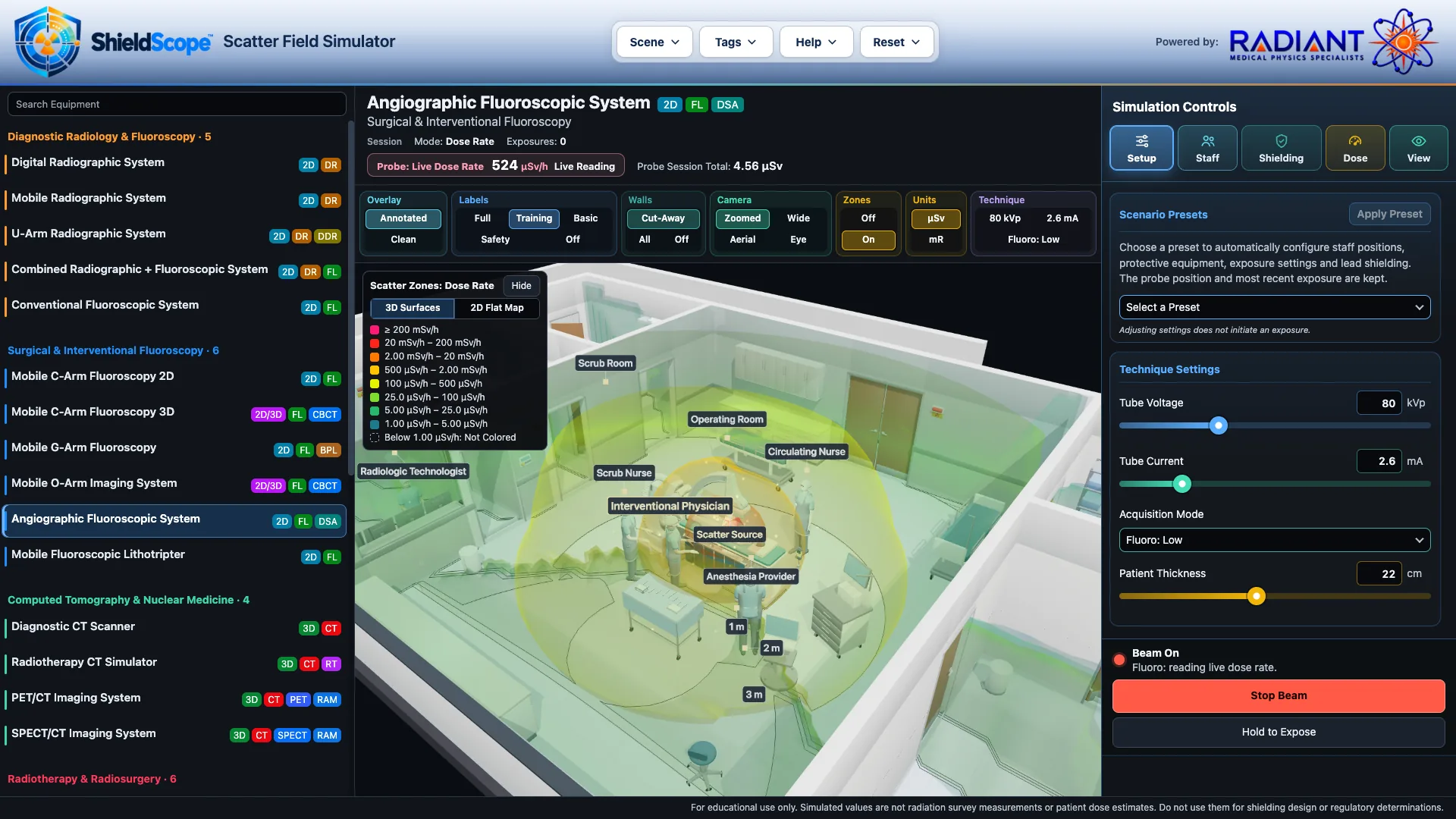
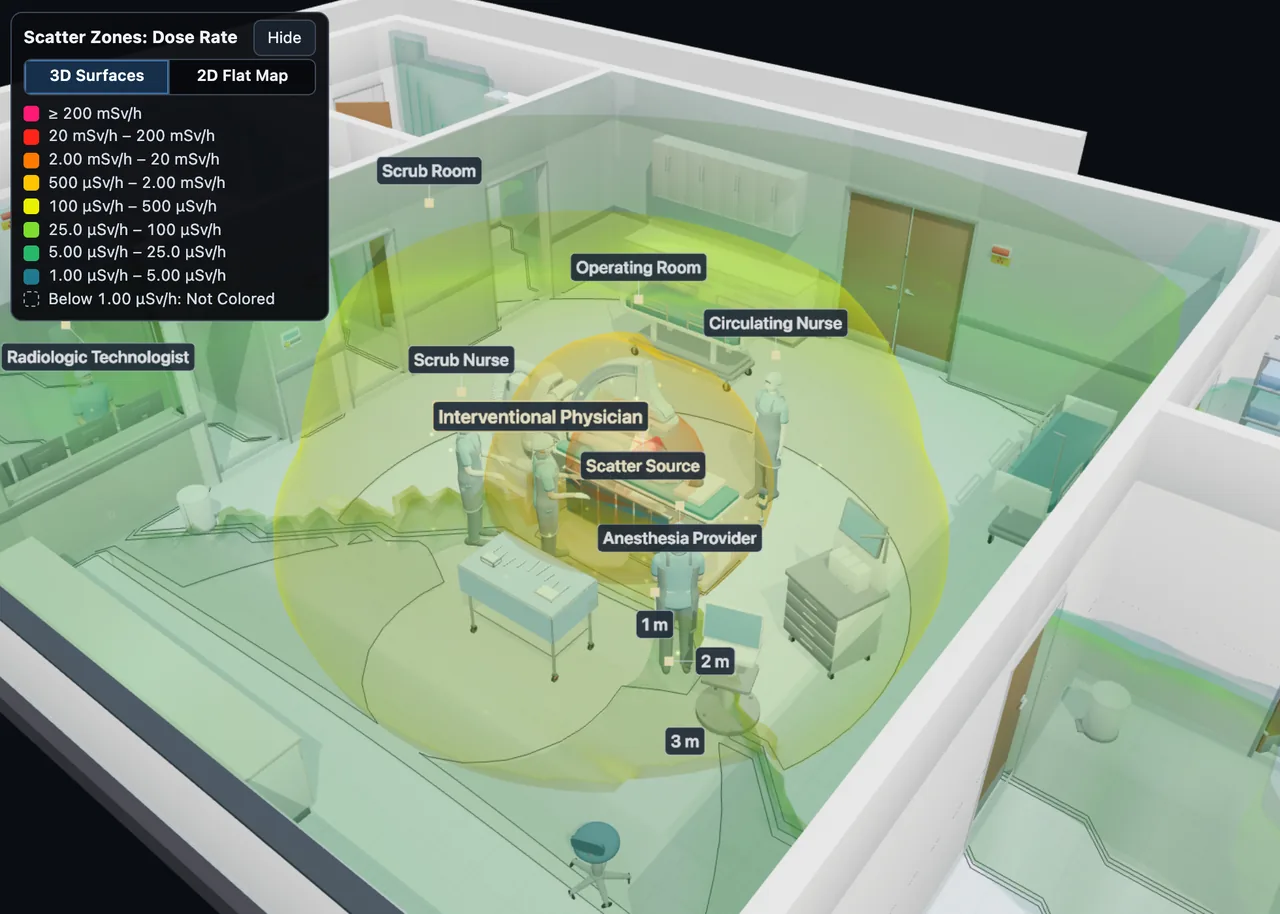
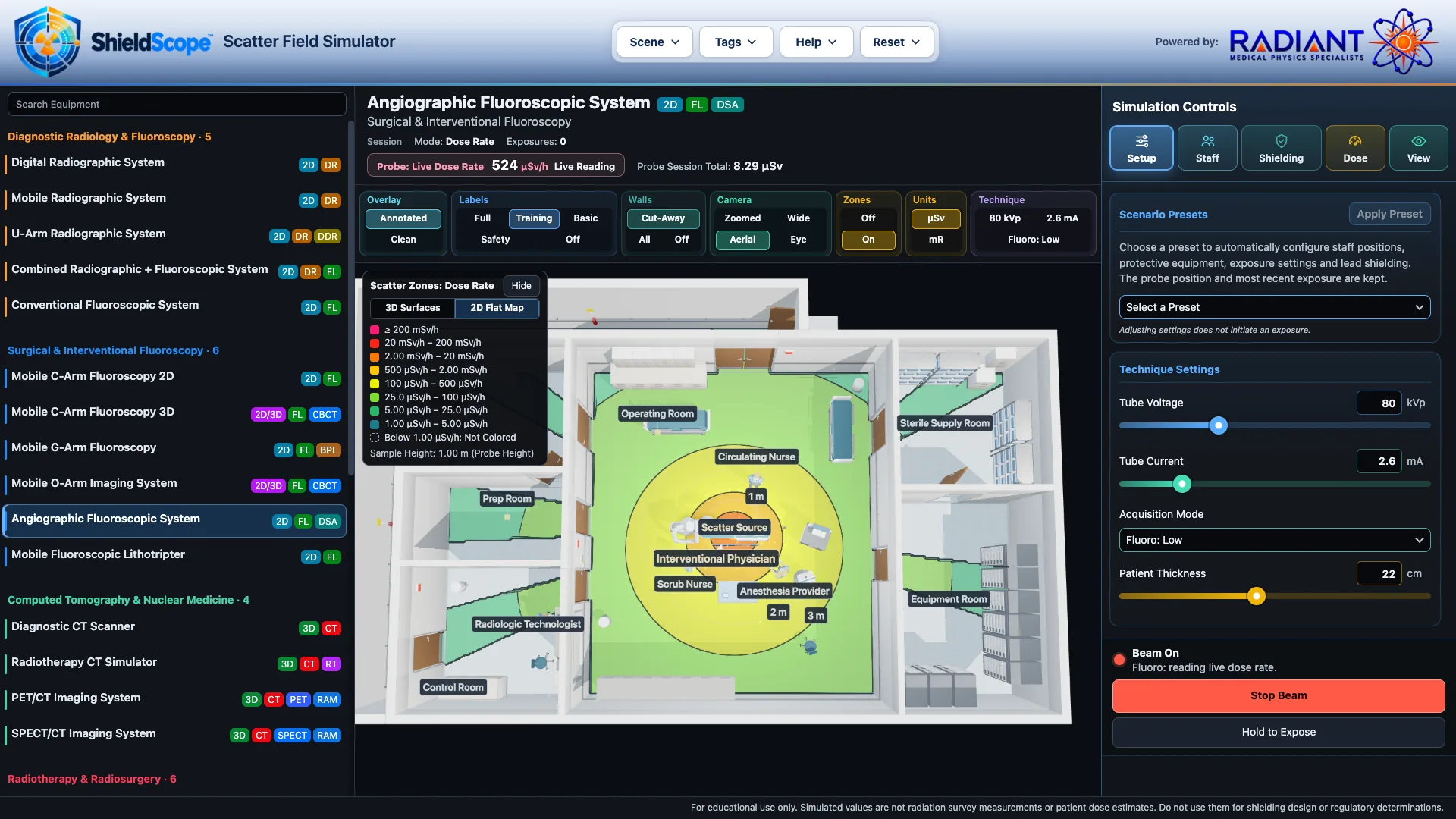
Read the Full Walkthrough
- Choose a Machine. Pick a system from the catalogue on the left, or search by name.
- Set up the Exposure. Apply a scenario preset, or set tube voltage, tube current, acquisition mode, and patient thickness.
- Place the Staff. Use the Staff tab to position people and set protective equipment.
- Add Shielding. Use the Shielding tab to place a lead screen or check the room barriers.
- Start the Beam. Use Start Beam or the hold-to-expose control. The probe shows the dose rate while the beam is on.
- Look Around. Switch the camera between Zoomed, Wide, Aerial, and Eye views, and cut away walls to see inside.
Inside ShieldScope
What Is Inside
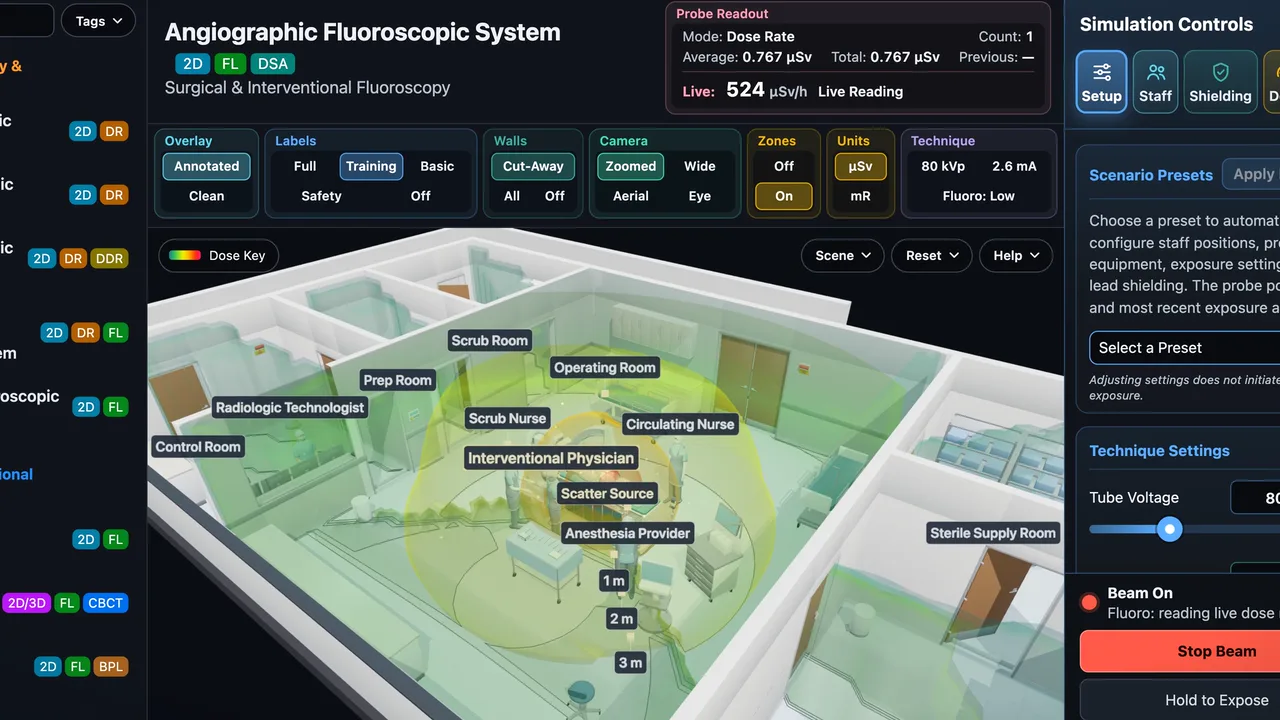
- 01
Room Visualization
Modeled rooms with barriers, adjacent spaces, equipment placement, and who stands where, with labels from Full to Safety.
- 02
Scatter Scenarios
Compare workflow and geometry choices, such as moving a person or adding a lead screen, and see the change on the dose map.
- 03
Staff and Protective Equipment
Position each role, set aprons and lead thickness, and read the dose at the probe.
Know the Limits
ShieldScope estimates scatter for learning. Simulated values are not survey measurements, patient dose estimates, a shielding design, or a regulatory determination.
How Do Scatter, Shielding, and Room Layout Interact? · Ask about ShieldScope
 QuantiRay
 CoComply
 EvaluRad
 ImageWare